> ## Documentation Index
> Fetch the complete documentation index at: https://opensre.com/docs/llms.txt
> Use this file to discover all available pages before exploring further.
# Enterprise setup (Tracer Cloud)
> Set up OpenSRE for your organization in app.tracer.cloud
This guide is for teams that manage OpenSRE from the hosted web app at [app.tracer.cloud](https://app.tracer.cloud).
## 1) Create your organization account
Sign up at [tracer.cloud](https://tracer.cloud) and continue in [app.tracer.cloud/sign-up](https://app.tracer.cloud/sign-up) to create or join your organization workspace.
## 2) Complete workspace onboarding
In the web app, complete onboarding to:
* Define your workspace context (team name, default channels)
* Connect your first integrations (start with observability + messaging)
* Verify access and permissions for each connector
## 3) Configure integrations for your org
Enterprise integrations are configured in the web app and shared across your organization. Use the integration catalog for credential requirements:
* [Integrations overview](/docs/integrations-overview) — local CLI and hosted setup paths
* [Datadog](/docs/datadog) — API key + application key (hosted flow in Option 3)
* [Grafana](/docs/grafana) — service account token + endpoint URL
* [AWS](/docs/aws) — cross-cloud infrastructure mapping
* [Slack](/docs/messaging/slack) — deliver investigation reports to channels
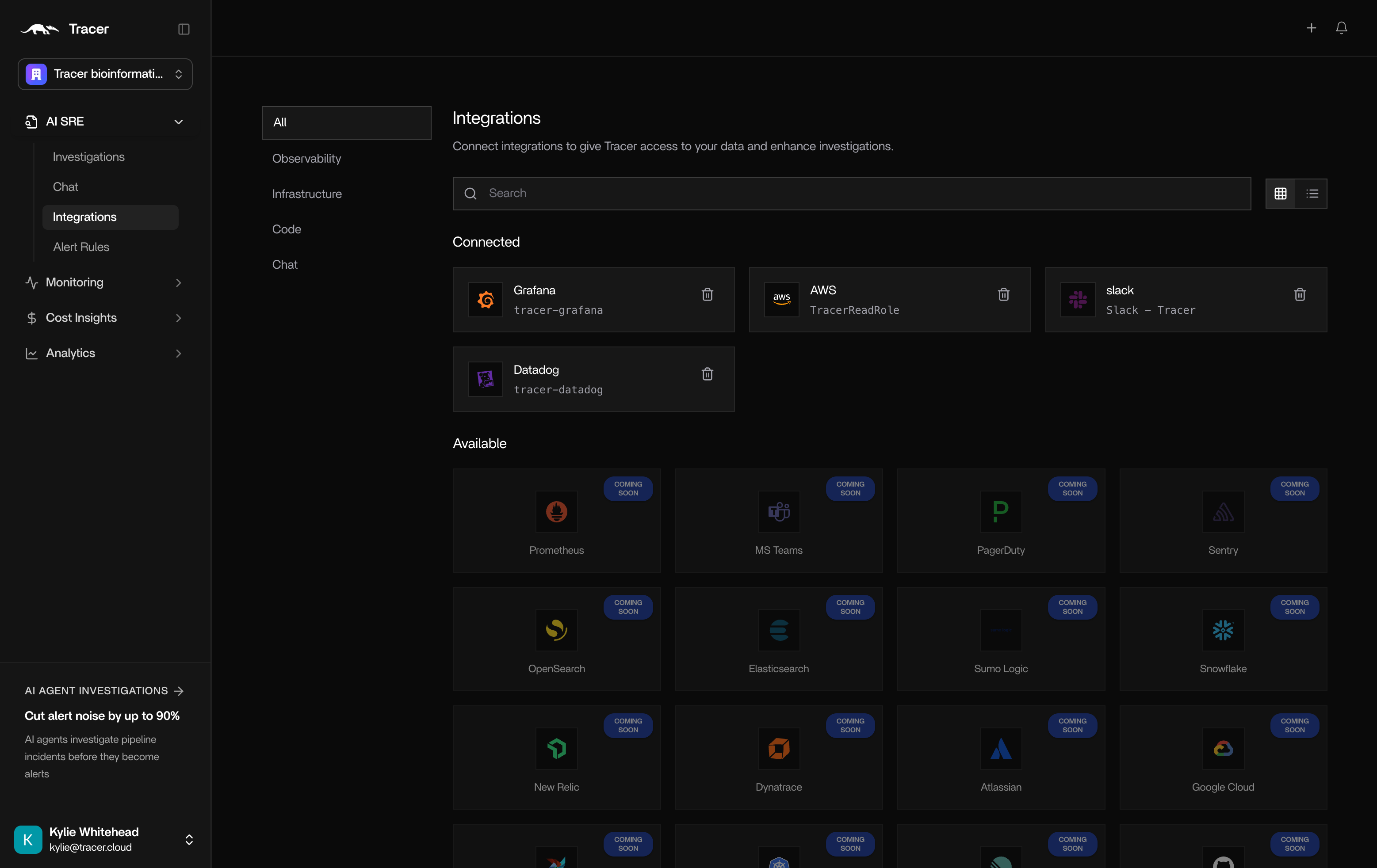 ### Verification checklist
After connecting each integration in the web app:
1. Confirm the connector shows **connected** in **Integrations**
2. Run a test investigation from the app or ask an org admin to trigger a sample alert
3. Confirm the report arrives in your configured Slack channel (see [Slack setup](/docs/messaging/slack))
For Slack-specific help, use **Support** in the app or follow the self-serve steps in [Slack integration](/docs/messaging/slack).
## 4) Run investigations with shared context
After integrations are connected, OpenSRE investigations use the same organization-level connectors and policies. Engineers can also run local CLI investigations that reference the same integration catalog.
## Local CLI users in enterprise teams
If your engineers also run local investigations:
```bash theme={null}
opensre
# inside the shell:
onboard
```
This configures local LLM credentials while org-wide connectors remain in the web app. See [Install locally](/docs/install-local) for the full local path.
### Verification checklist
After connecting each integration in the web app:
1. Confirm the connector shows **connected** in **Integrations**
2. Run a test investigation from the app or ask an org admin to trigger a sample alert
3. Confirm the report arrives in your configured Slack channel (see [Slack setup](/docs/messaging/slack))
For Slack-specific help, use **Support** in the app or follow the self-serve steps in [Slack integration](/docs/messaging/slack).
## 4) Run investigations with shared context
After integrations are connected, OpenSRE investigations use the same organization-level connectors and policies. Engineers can also run local CLI investigations that reference the same integration catalog.
## Local CLI users in enterprise teams
If your engineers also run local investigations:
```bash theme={null}
opensre
# inside the shell:
onboard
```
This configures local LLM credentials while org-wide connectors remain in the web app. See [Install locally](/docs/install-local) for the full local path.